Documentation

Embed Payment Widget Documentation
What is the Embed Payment Widget?
The Embed Payment Widget allows merchants to generate a payment link dynamically via URL parameters and redirect customers directly to the payment gateway.
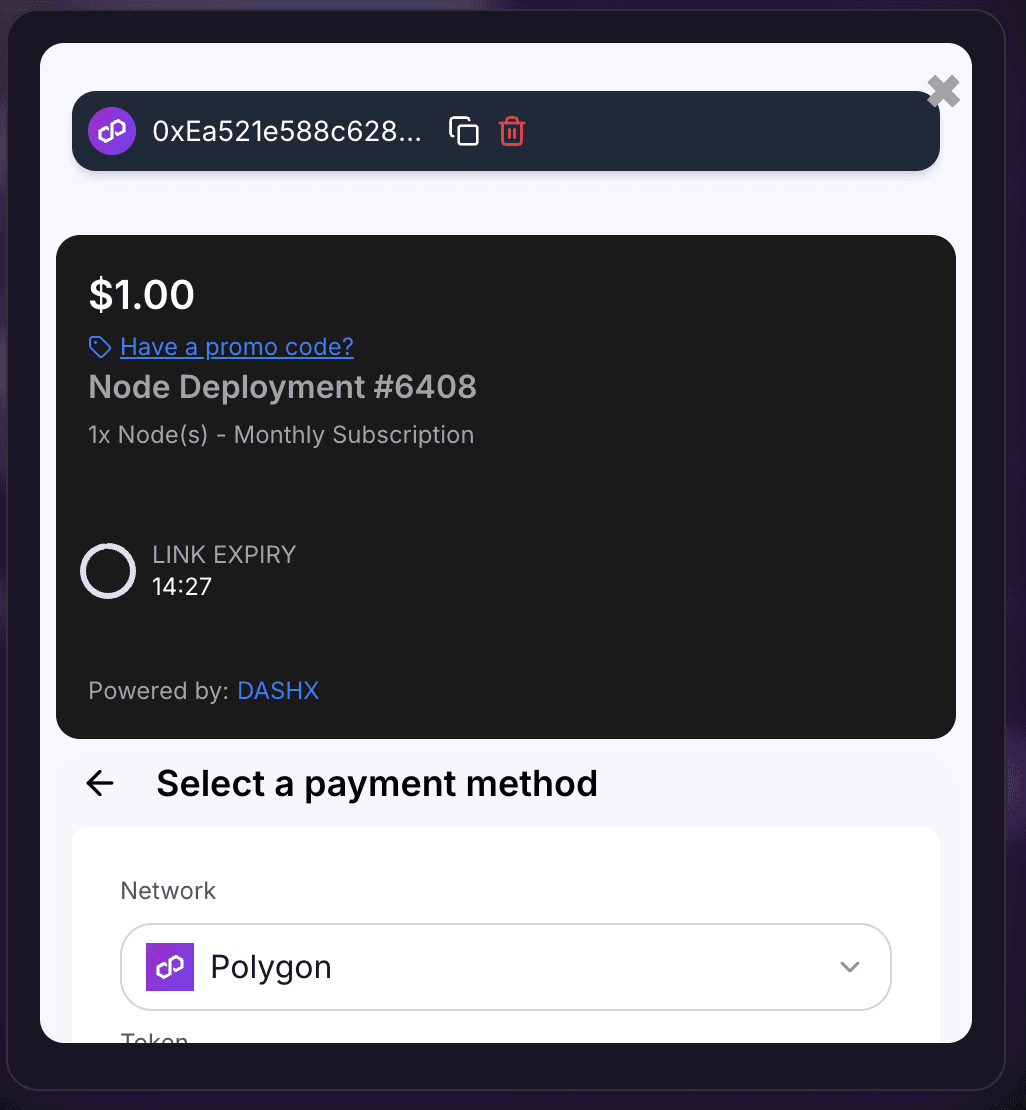
How It Works
- Embed or navigate to the widget URL in your frontend.
- Pass required parameters as query params in the URL.
- The widget will auto-generate a payment link and redirect.
- If there’s an error, the widget will display a helpful message.
Widget URL Format
https://gateway.dashx.xyz/embed?title=<TITLE>&productName=<PRODUCT_NAME>&description=<DESCRIPTION>&amount=<AMOUNT>&expTime=<EXP_TIME>&merchantId=<MERCHANT_ID>&api_key=<API_KEY>&customer_id=<CUSTOMER_ID>&allow_promo_codes=<true|false>
Required Parameters
- title: Title for the payment (e.g. "Order #123")
- productName: Name of the product
- description: Short description of the payment
- amount: Amount to be charged (as a string)
- expTime: Time until expiration (in minutes)
- merchantId: Your merchant ID
- api_key: API key for authentication
Optional Parameters
- allow_promo_codes: Pass
trueto enable promo code support,falseor omit to disable - customer_id: Your custom customer identifier for tracking purposes. If not provided, a unique ID will be auto-generated. This helps you map payments to your own customer records and is included in webhook notifications.
Customer ID Parameter
The customer_id parameter allows you to associate payments with your own customer records:
- Optional: If not provided, a unique UUID will be auto-generated
- Tracking: Use this to link payments to your customer database
- Webhooks: The customer_id is included in all webhook notifications
- Filtering: Filter payments by customer_id using the API
- Format: Any string up to 100 characters (alphanumeric, hyphens, underscores recommended)
Behavior
- On valid params, a payment link is generated using
CreateEmbedPaymentLink. - On success, user is redirected to:
/gateway?slug=your-payment-slug - On failure, an error is displayed to the user.
Success Response (Redirect)
{
  "message": "Payment link created successfully",
  "id": "pl_xxxxx",
  "slug": "unique-payment-slug",
  "link": "https://gateway.dashx.xyz/unique-payment-slug",
  "customer_id": "optional_customer_id"
}
Error UI States
- Missing required parameters will show: "Invalid Link"
- Server or network failure will show a toast with the error message
Example Usage
Basic Example
<iframe
  src="https://gateway.dashx.xyz/embed?title=<TITLE>&productName=<PRODUCT_NAME>&description=<DESCRIPTION>&amount=<AMOUNT>&expTime=<EXP_TIME>&merchantId=<MERCHANT_ID>&api_key=<API_KEY>"
  width="100%"
  height="400px"
  frameBorder="0"
></iframe>
With Customer ID and Promo Codes
<iframe
  src="https://gateway.dashx.xyz/embed?title=<TITLE>&productName=<PRODUCT_NAME>&description=<DESCRIPTION>&amount=<AMOUNT>&expTime=<EXP_TIME>&merchantId=<MERCHANT_ID>&api_key=<API_KEY>&customer_id=<CUSTOMER_ID>&allow_promo_codes=<true|false>"
  width="100%"
  height="400px"
  frameBorder="0"
></iframe>
Note: Remember to URL-encode parameter values that contain spaces or special characters.